
01⌘⇧A
Chat with your notes
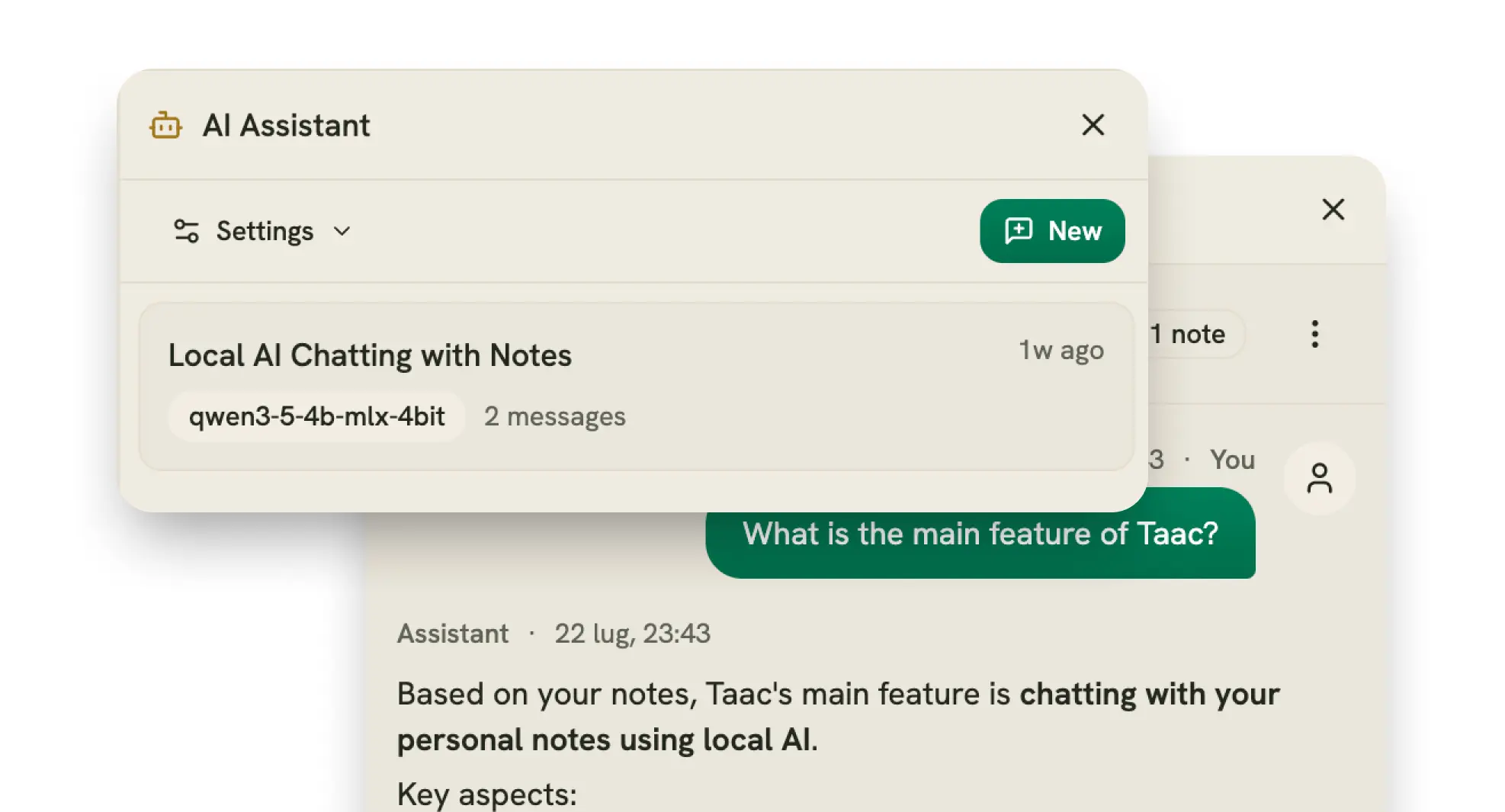
Open the AI panel and ask anything. Taac searches your notes on its own and answers using what it finds — showing exactly which notes it used as clickable citations, streaming in real time.
Open source · runs on your Mac
No cloud. No setup. Chat with your notes, search by meaning, and turn meetings into summaries — all fully offline. No API keys, no accounts, no “connect your OpenAI” step.
A real session: ask in plain language, get an answer written on your Mac — with the note it came from attached.
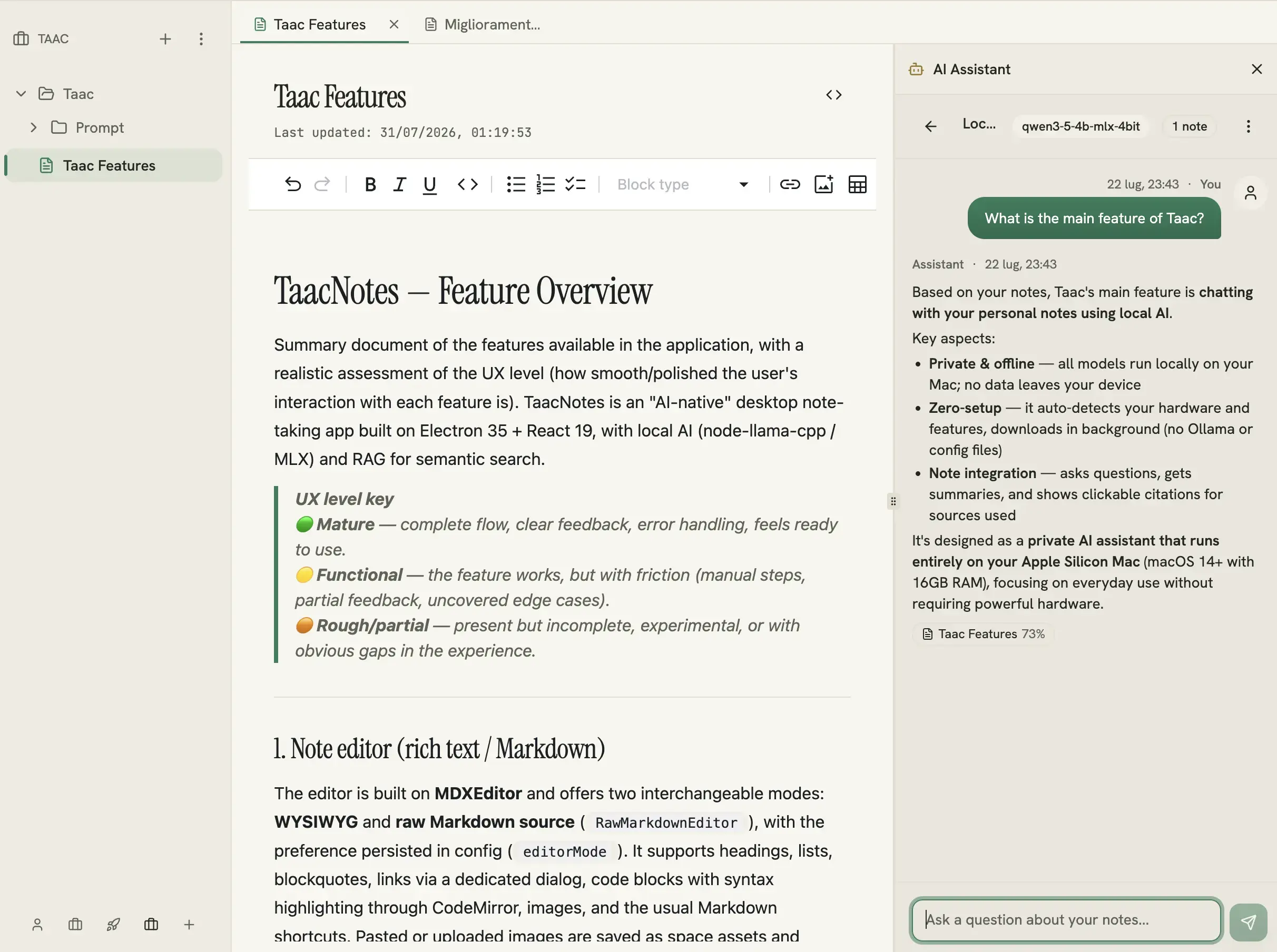
Ask in plain language, get an answer written on your Mac — with the note it came from attached.
Why Taac
Cloud AI note apps send everything you write to someone else's servers. Your journal, your meeting notes, your half-formed ideas — all uploaded, logged, and used to train who-knows-what.
Running AI locally today means wrestling with terminals, Ollama, model files and API configs just to ask a question. Great if you're an engineer with a weekend to spare. Useless for everyone else.
Download the app, click the features you want, and the models install themselves in the background. That's it. No cloud, no command line, no compromise — and Taac is tuned to run on a normal Mac, not a $5,000 workstation.
Proof, not a promise
Every model — chat, search, transcription, summarization — runs locally on your Mac. Your notes stay on your filesystem as plain Markdown. Take Taac on a plane and it still works.
Neither one sends a single word of your notes anywhere — but I'm not going to claim “zero network” when that isn't literally true.
Features
Keep scrolling — they come one at a time.
Open the AI panel and ask anything. Taac searches your notes on its own and answers using what it finds — showing exactly which notes it used as clickable citations, streaming in real time.
Searching “vacation plans” finds your note about a trip to Italy — even though it never says “vacation.” Try it on eight sample notes:
Record a call — mic plus system audio, so Zoom, Teams and Meet all work. Taac transcribes it, tells speakers apart, and writes a clean summary with checkable action items, all offline. Live transcription on Apple Silicon; switch to “media” mode for lectures.
A rich Markdown editor with a live WYSIWYG mode and a raw-Markdown mode, one click apart. Images, code blocks with syntax highlighting for ~25 languages, links, lists — and it auto-saves as you type.
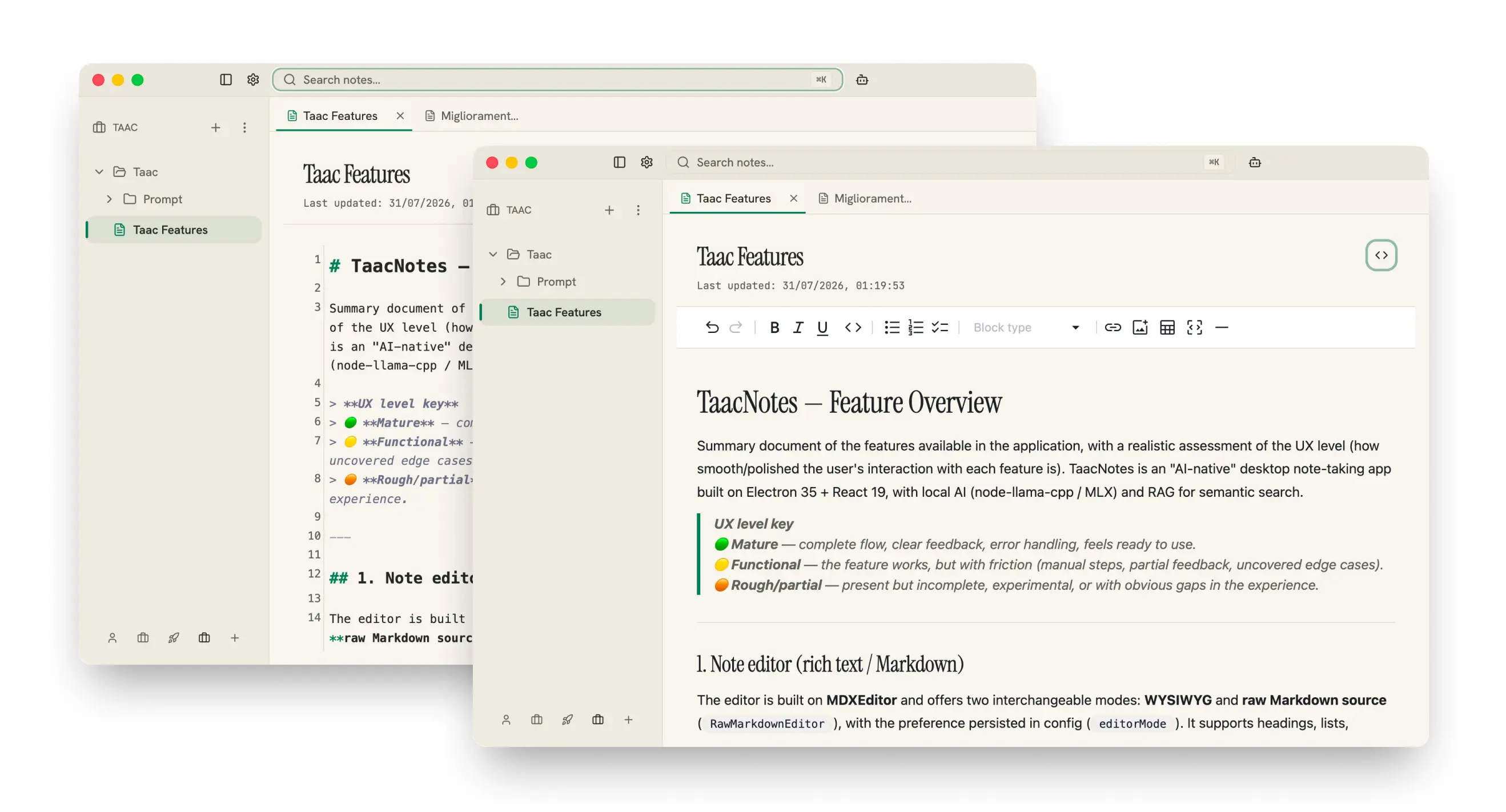
Up to five fully isolated Spaces — work, personal, a side project — each with its own name and icon. Nest notes in folders, drag & drop to reorganize, and open several notes at once in tabs.
Zero-setup AI
Most local-AI tools hand you a shopping list of models and a terminal. Taac detects your hardware and picks the right models automatically — hiding anything that won't run well. Pick the features you want and everything downloads in the background, with progress you can pause and resume. No Ollama. No API keys. No config files.
You only download what you use — start with just Chat, or skip AI entirely and use Taac as a great Markdown notes app.
macOS on Apple Silicon only today — Windows and Linux are next. We deliberately target real, everyday Macs.
With a preview before anything is added to a space.
At a glance
Taac is a free, open-source (AGPL-3.0) AI note-taking app for macOS. Chat, semantic search and meeting transcription all run on-device on Apple Silicon Macs (M1 or newer) with 16 GB of RAM, on macOS 14 or later — no cloud, no API keys, no Ollama to install first.
Polish and stability.
Same app, more machines.
Right after Windows.
Open-source and self-hostable, up in one click.
Your notes in your pocket, synced privately.
Turn notes and meetings into things that get done.
Sync is self-hostable on purpose — syncing your devices shouldn't mean handing your notes to us.
Before you download
This is the first release and it's under active development. If something crashes or freezes, that's not you doing it wrong — it's early software. Open an issue; it's the fastest way to get it fixed.
Import a big pile of notes and Taac has to index all of them for semantic search. After that it’s incremental — only changed notes get re-indexed, in the background — so you never wait like that again.
Downloading the models needs a connection, once, and the auto-updater pings GitHub for new versions. Neither ever sends your notes anywhere.
I built Taac on a stack I know well and can support properly, instead of chasing a lighter one I'd be learning as I went. In daily use I haven't hit memory issues — but if you do, tell me right away.
FAQ
Taac is a free, open-source note-taking app for macOS with AI built in. You can chat with your notes, search them by meaning and turn recorded meetings into summaries — and every one of those models runs on your own Mac rather than in the cloud. Notes are stored as plain Markdown files on your filesystem.
No. Chat, search, transcription, speaker detection and summaries all run locally on your Mac, and your notes are stored on your own filesystem. Taac works with your Wi-Fi off — the only time it talks to the network is to download AI models and check for app updates.
No. There is no terminal, no config file and no account to create. You download the app, click the features you want, and the models install themselves in the background. If you can install a Mac app, you can use Taac.
None of them. Taac ships its own inference stack and downloads its models itself, in the background, the first time you enable a feature. There is nothing to install alongside it and no key to paste — if you can install a Mac app, you have done the whole setup.
An Apple Silicon Mac (M1 or newer) with 16 GB of RAM, on macOS 14+. Taac detects your hardware and picks models that run well on it — no guesswork.
Yes and yes. Taac is free and open source under the AGPL-3.0 license.
Chat runs on Qwen3.5 4B. Semantic search uses EmbeddingGemma 300M with a Qwen3 reranker. Meeting notes use Whisper and Qwen3-ASR with speaker diarization. Taac picks the size of each model to match your Mac, and you can delete any of them later.
On disk, you only download what you use: Chat is ~2.7 GB, Smart Search ~0.9 GB, and Meeting Notes is optional (~0.5–2.5 GB depending on quality). You can delete any model you no longer need. RAM is handled for you — Taac loads a model only while a feature is actually running and unloads it as soon as you are done, so an idle Taac is a notes app, not a few gigabytes sitting in memory. It also picks model sizes that fit your Mac in the first place.
Obsidian keeps your notes local but leaves the AI to plugins and your own API keys. Notion AI is the opposite trade: excellent AI, and every word you write goes to their servers. Apple Notes has neither the AI nor the Markdown. Taac is the combination — local Markdown files, AI that works out of the box, and nothing uploaded. It imports from Apple Notes, Obsidian and Joplin if you want to move.
Yes. Taac records the microphone and system audio together, so any call playing through your Mac is captured — Zoom, Teams, Meet or anything else. It then transcribes the recording on-device, separates the speakers, and writes a summary with action items. The audio is never uploaded.
Yes — Taac imports from Apple Notes, Obsidian and Joplin, with a preview before anything is added to a space.
Not yet — Taac is macOS-only today. Windows and Linux are next on the roadmap.
Yes. Once your models are downloaded, everything works with no internet connection.
★ 9 stars122 downloadsv1.1.2AGPL-3.0
Taac is free and open source. The AI models and third-party libraries it downloads at runtime are covered by their own licenses — see NOTICE.md. 🖤